8 Contact Management Tips to Keep Your Team Organized
Every team deals with contacts, whether they're customers, clients, vendors, or partners. And when contact details are scattered across inboxes, spreadsheets, and sticky notes, things can get missed.
Good contact management doesn't require a complicated system. A few simple habits, like grouping contacts by organization, adding notes, and cleaning up your list regularly, can make a real difference to how your team communicates and collaborates.
The key is to start small and stay consistent. We share 10 practical tips for organizing and maintaining your contacts so your team can communicate faster, collaborate better, and avoid the chaos of outdated information.
1. Keep contacts in one central place
The single biggest improvement you can make to your contact management is choosing one system and sticking with it. When contacts live in multiple tools (someone's phone, a shared spreadsheet, an old CRM nobody logs into), your team wastes time searching for the right details and risks working with outdated information.
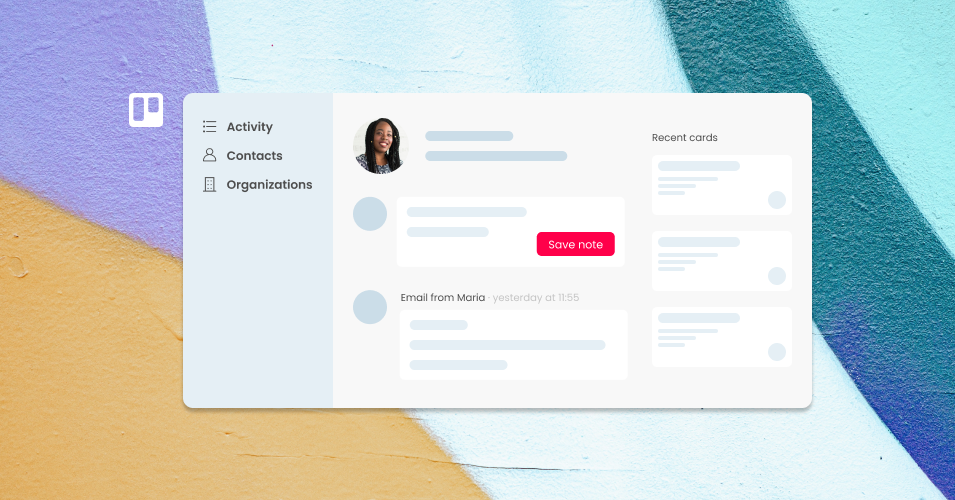
Pick a tool your team already uses daily, and make that the home for your contacts. If your team lives in Trello, for example, you can manage your contact database directly from your board using the Email for Trello Power-Up. Any person you email is automatically saved as a contact, so your database grows as you work.
2. Group contacts by organization
As your contact list grows, finding the right person becomes harder. Grouping contacts by company or organization adds a layer of structure that makes it much easier to browse, filter, and find what you need.
This is especially useful when multiple people on your team interact with different contacts at the same company. Instead of hunting through a flat list, anyone on the team can pull up the organization and see every contact associated with it, along with their conversation history.
💡 TIP Email for Trello automatically groups contacts by organization when their email addresses share the same domain. Learn more about managing organizations in Trello.
3. Add notes to contacts for context
A name and email address only tells you so much. The real value comes from the context you add over time: what you discussed in a meeting, what their preferences are, or when they need to be followed up with.
Adding notes to your contacts creates a shared record that any team member can reference. If someone is out sick or hands off a project, whoever picks it up can get up to speed quickly without asking around. A simple note like "Prefers email over phone" or "Renews contract in September" can save your team a surprising amount of time.
4. Clean up your contact list regularly
Contact databases get messy over time. People change roles, switch companies, or simply stop being relevant to your work. If you never clean house, your team ends up scrolling past old contacts and autocomplete suggestions become unreliable.
Set a recurring reminder (quarterly works well for most teams) to review and archive contacts that are no longer active. Archiving is better than deleting because you keep the record if you ever need it, but the contact stops cluttering your day-to-day view.
5. Import contacts in bulk when you're getting started
If you're setting up a new system, manually entering contacts one by one is a recipe for frustration. Most contact management tools support CSV imports, which means you can prepare a spreadsheet and upload all your contacts at once.
This is also useful when migrating from another tool, or when you want to bring in contacts from an external source. For example, you can export your LinkedIn connections and import them into Trello to build a working people directory. Prepare your file with columns for first name, last name, email address, and organization, then import in one go.

Import contacts via .csv upload
6. Assign contacts to tasks for clear ownership
When a contact is tied to a specific task or card, everyone on the team knows who the conversation is with and who's responsible. This avoids the classic problem of two people replying to the same email, or nobody replying because they assumed someone else was on it.
Whether you're tracking a support ticket, a sales lead, or a vendor request, assigning a contact to the task creates a clear connection between the person and the work that needs to happen. It also makes it easy to pull up the full history of communication if you need to reference something later.
7. Use variables to personalize your templates
Template emails are a huge time-saver, but they're only effective if they don't feel like templates. Variables (placeholders that automatically fill in details like a contact's name, company, or reference number) let your team send personalized messages at speed.
Instead of copying and pasting a contact's first name into every reply, a variable like {%contactFirstname%} inserts it for you when the email is sent. This is especially helpful for teams that send high volumes of similar messages, like order confirmations, follow-ups, or onboarding emails.
8. Keep a record of every interaction
Good contact management means your team can look at a contact and see the full picture: every email sent, every reply received, and any notes left by colleagues. This shared history is what turns a basic address book into a useful business tool.
When communication history lives alongside your contacts, there's no need to dig through individual inboxes or ask a colleague to forward an old thread. Anyone on the team can pick up a conversation right where it left off, which is especially valuable when handling shared inboxes or team-based workflows.
Make contact management part of your daily workflow
The best contact management system is the one your team actually uses. If updating contacts requires switching to a separate tool or logging into a different platform, it won't get done consistently.
Choose a tool that fits into the work your team is already doing. If your team processes emails, manages tasks, and collaborates in Trello, then managing your contacts directly in Trello means there's no extra step. Contacts get updated naturally as part of the workflow, and your database stays current without anyone having to think about it.